

Laravel
Laravel is a free, open-source PHP web framework
Install on Ubuntu 24.04
sudo apt install -y pkg-config build-essential autoconf bison re2c libxml2-dev libsqlite3-dev
sudo apt install apache2
sudo systemctl start apache2
sudo systemctl enable apache2
sudo systemctl status apache2
sudo apt install php php-cli php-mbstring php-xml php-bcmath php-tokenizer php-json php-curl php-zip php-mysql libapache2-mod-php
sudo apt install mysql-server
sudo mysql_secure_installation
sudo apt install nodejs npm
mkdir /var/www/l1
sudo chown -R $USER:$USER /var/www/k1
sudo chown -R $USER:$USER /var/www/l1
kate /etc/apache2/sites-available/l1.conf
sudo a2ensite l1.conf
sudo a2enmod rewrite
sudo systemctl restart apache2
cd /var/www/l1/
composer create-project --prefer-dist laravel/laravel .
kate .env
sudo chown -R www-data:www-data .
sudo chmod -R 775 storage/
sudo chmod -R 775 bootstrap/cache/
kate /etc/hosts
sudo mysql
>ALTER USER 'root'@'localhost' IDENTIFIED WITH caching_sha2_password BY 'mypassword';
php artisan migrate
--installiert die Datenbanken
/etc/apache2/sites-available/l1.conf abändern
<VirtualHost *:80>
ServerAdmin webmaster@localhost
ServerName l1.local
DocumentRoot /var/www/l1/public
<Directory /var/www/l1>
AllowOverride All
</Directory>
ErrorLog ${APACHE_LOG_DIR}/error.log
CustomLog ${APACHE_LOG_DIR}/access.log combined
</VirtualHost>
.env ändern
SESSION_DRIVER=database
SESSION_LIFETIME=120
SESSION_ENCRYPT=false
SESSION_PATH=/
SESSION_DOMAIN=null
.hosts ändern
127.0.0.1 l1.local
Apache2 aktivieren und Site starten
sudo a2ensite l1
systemctl reload apache2
im Browser: http://l1.local
Site auf den Hosting-Server transferieren
1. Filesystem kopieren
rsync -avz /var/www/l1 uxxxxx@access983197478.webspace-data.io:/kunden/homepages/13/xxxxx/htdocs/
2. Datenbank dumpen und am Hosting-Server einrichten
mysqldump -u root -p laravel > laravel.sql
rsync -avz laravel.sql uxxxxx@access983197478.webspace-data.io:/kunden/homepages/13/xxxx/htdocs/laravel.sql
login to db ...
mysql -u dbuxxx -h dbxxx.hosting-data.io -p dbsxxx
… and include the sql-dump
MariaDB>source laravel.sql
3. Datenbank-Konfiguration ändern
.env anpassen
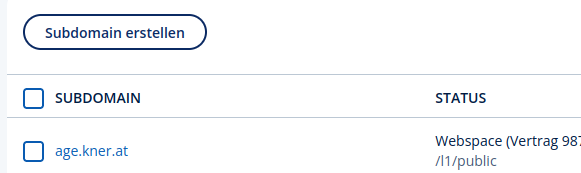
3. Subdomäne einrichten