


ARM CMSIS Installation (Gedächtnisprotokoll)
Variante1 (easy, not working for me)
https://martinstokroos.github.io/martins-blog.github.io/post/cmsis/
1. Download .pack from
https://github.com/ARM-software/CMSIS_5/releases/download/5.8.0/ARM.CMSIS.5.8.0.pack
2. //Help/Manage Embedded Software Packages/Install from File and select the .pack file
3. restart STM32CubeIDE
4. New Project start .IOC CubeMx configurator
5. //Software Packs Component Selector starten und CMSIS aktivieren (Core+DSP)
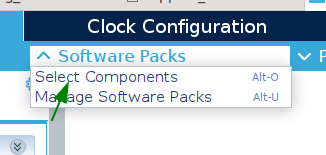
6.
/* USER CODE BEGIN Includes */
#define ARM_MATH_CM4
#include "arm_math.h"
/* USER CODE END Incl
Variante2
https://community.st.com/s/article/configuring-dsp-libraries-on-stm32cubeide
CMSIS wird als Library eingebunden, die Include-Files werden in
1. Wie Variante1 Punkt 1 bis Punkt3
Das CMSI Package ist zu finden unter ~/STM32Cube/Repository/Packs/ . Hier findet man die Include-Files und die Library.
2. Include-Files installieren: dazu die Files und den Ordner dsp vom Verzeichnis
~/STM32Cube/Repository/Packs/ARM/CMSIS/5.8.0/CMSIS/DSP/Include/
in das Projekt-Verzeichnis
… Drivers/CMSIS/Include
kopieren
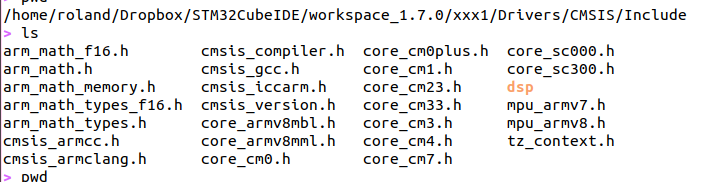
3. Library installiern
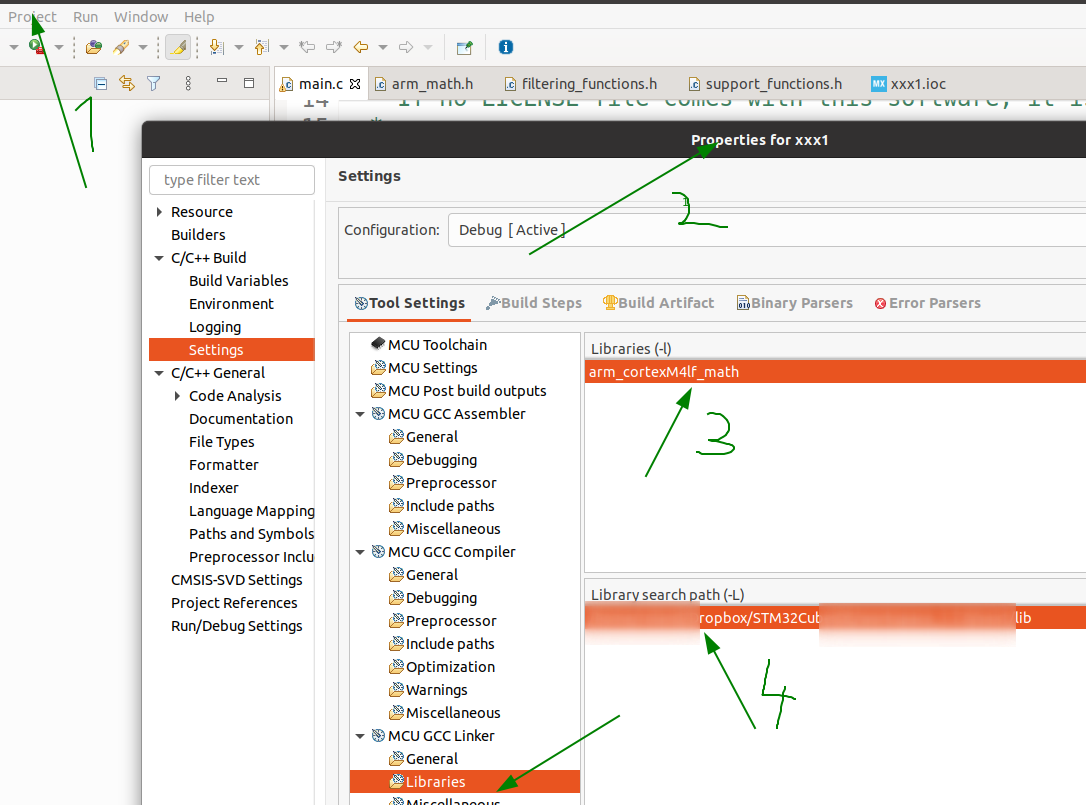 Dazu zuerst die Datei
~/STM32Cube/Repository/STM32Cube_FW_F4_V1.26.2/Drivers/CMSIS/Lib/GCC/libarm_cortexM4lf_math.a
in den Projektordner
… Drivers/CMSIS/Lib (muss neu angelegt werden)
kopieren
und anschließend den Linker konfigurieren
4. /* USER CODE BEGIN Includes */
#define ARM_MATH_CM4
#include "arm_math.h"
/* USER CODE END Incl